
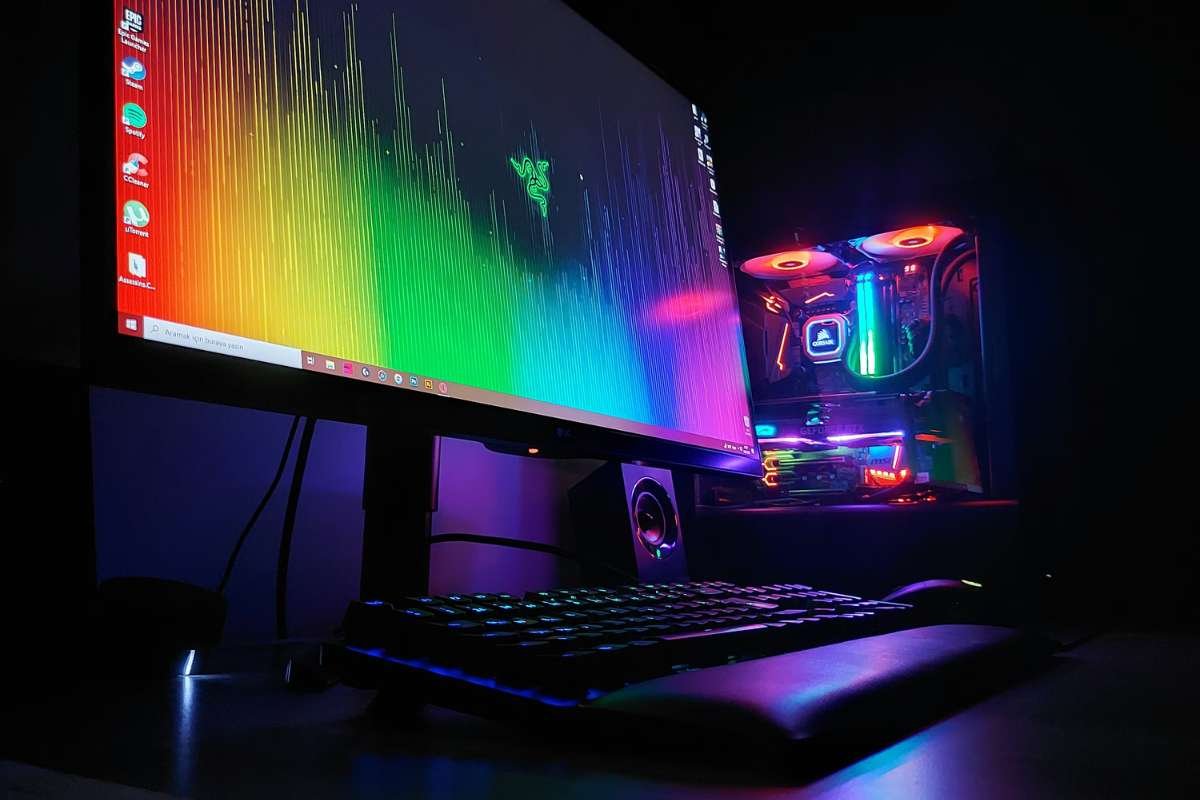
You have spent hours watching benchmark videos and comparing graphics cards. You salivate at the thought of smoother frame rates, faster load times, and a setup that runs exactly the way you want it to. But before all that power comes to life, one component quietly decides how stable and future-ready your system will be.
The best motherboard for gaming forms the backbone of your entire build. It determines compatibility, upgrade potential, connectivity options, and overall system performance. Choosing wisely means your CPU and GPU can perform at their best while giving you flexibility for future improvements. In this guide, you will learn how to identify the best motherboard for gaming based on performance needs and budget.
How Does a Motherboard Affect the Gaming Experience?
A motherboard acts as the main hub of your gaming PC. It connects the CPU, GPU, RAM, and storage into one system. It controls how fast data moves between components. Slow communication can cause frame drops and stutter during intense gameplay.
A reliable board supports faster memory speeds and stable GPU performance. This leads to smoother gameplay and better overall response. So, what features should a gamer consider for the best gaming experience?
I. Socket
The socket decides which processor you can install on your system. Every CPU model fits only a specific socket type, so compatibility matters a lot. If the socket does not match, the processor will not work. Newer sockets often support newer generation CPUs, which offer better speed and efficiency. Choosing the correct socket helps you avoid bottlenecks and keeps your system ready for any upgrades.
II. Chipset
The chipset plays a major role in determining whether a board truly qualifies as the best motherboard for gaming in its price range. It manages features like PCIe lanes, RAM speed limits, storage support, and USB connectivity. A high-tier chipset usually supports faster memory and more expansion slots. This helps improve stability and overall system performance during gaming.
III. Form Factor
The form factor defines the size and layout of the board. Common options include ATX, Micro-ATX, and Mini-ITX. Larger boards often provide more RAM slots and expansion options. This makes future upgrades easier and improves airflow inside the case. Smaller boards fit compact builds but may limit cooling space and GPU clearance, which can affect long gaming sessions.
Looking for the Best Motherboard for Gaming? These 8 Make Every Frame Count
The right board can boost performance and prevent costly mistakes. These eight models stand out for speed, stability, and upgrade support. If you want a build that lasts, start with one of these proven choices. There are many factors that determine what makes a motherboard good for gaming. We have taken into consideration the socket, chipset, form factor, and, of course, the average price.
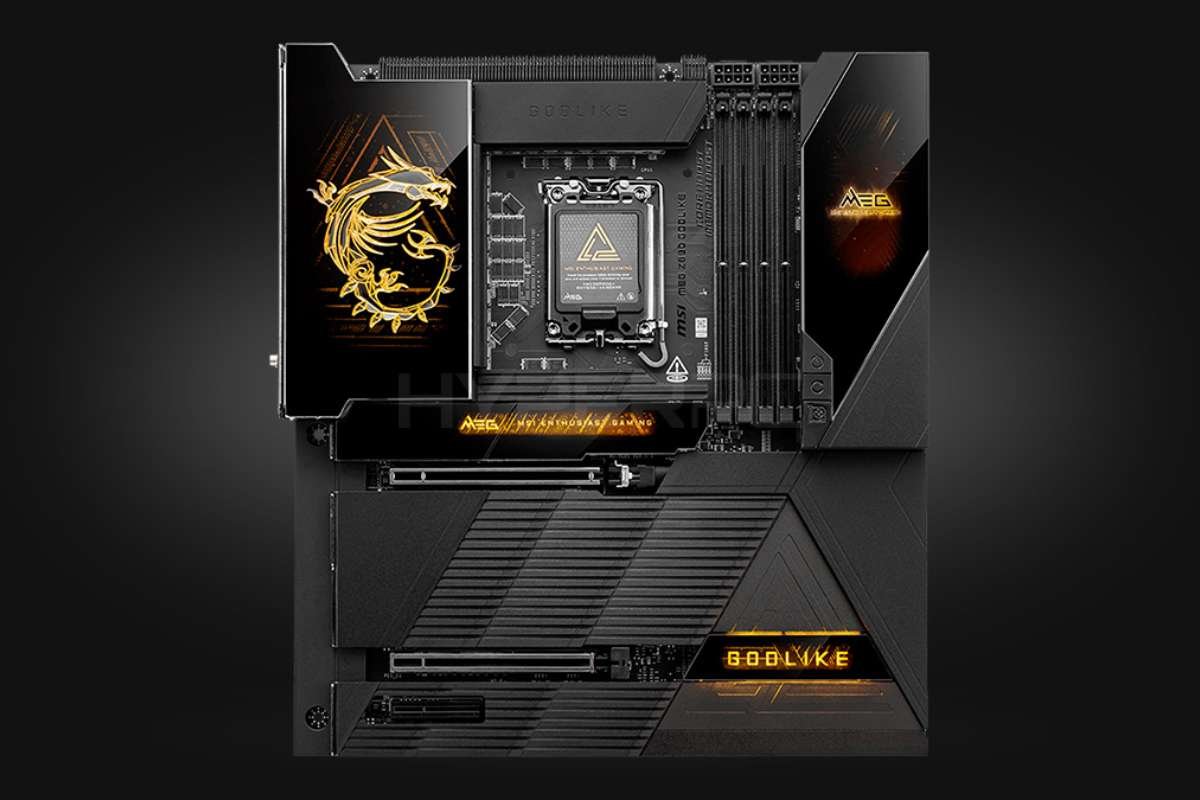
1. MSI MEG Z890 Godlike
| Specification | Details |
| Socket | Intel LGA 1851 |
| Chipset | Intel Z890 |
| Form Factor | E-ATX |
| Average Price | ~$1,250 |
The MSI MEG Z890 Godlike uses the Intel LGA 1851 socket and the Z890 chipset. It comes in a large E-ATX form factor, so it needs a full-size case. This board targets high-end gaming builds and heavy workloads. It focuses on strong power delivery, fast storage support, and wide expansion options.
- Pros: This board delivers very stable power, which helps during long gaming sessions. It supports top-tier Intel CPUs, so you can push high frame rates in demanding titles. You also get strong expansion support with multiple PCIe and storage options. Its advanced cooling design helps control heat under heavy load.
- Cons: The E-ATX size limits case choices and does not suit compact builds. Its price sits in the ultra-premium range, which makes it hard for most gamers to justify. Many of its advanced features may go unused in a standard gaming setup. Budget builders will find better value in lower-priced boards.
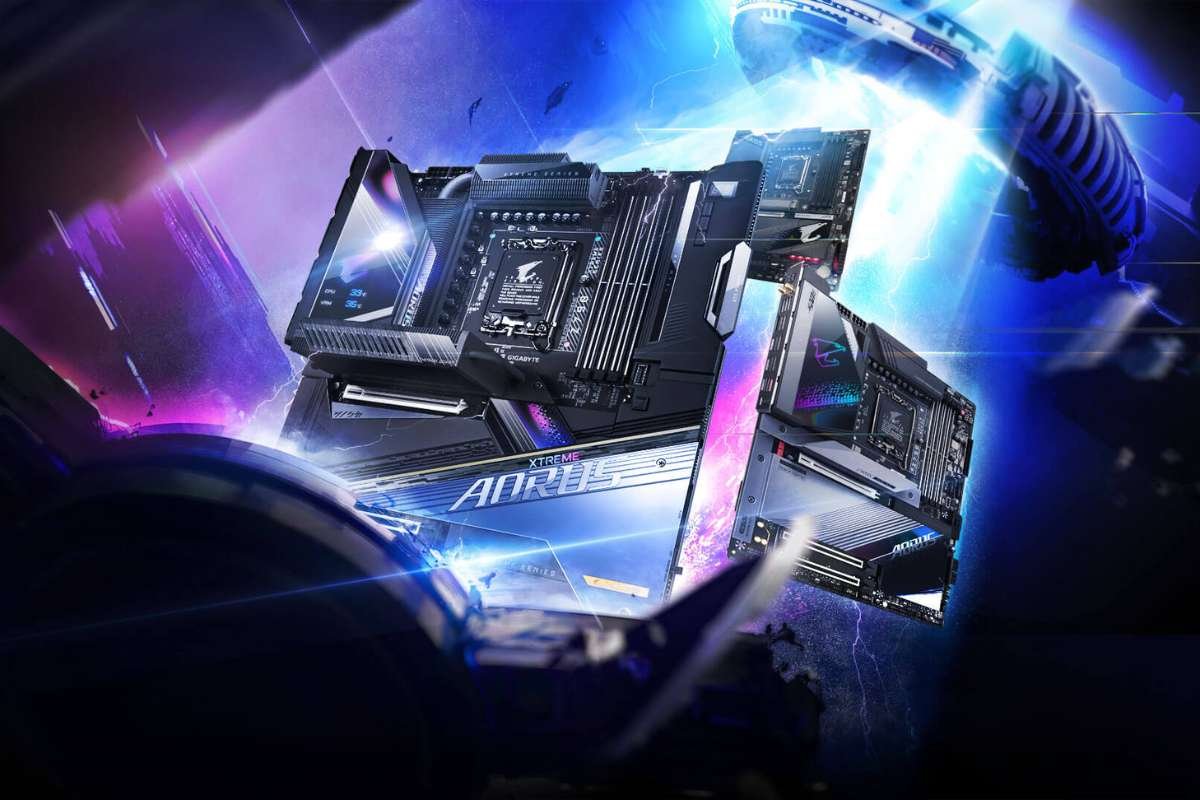
2. Gigabyte Z790 Aorus Xtreme
| Specification | Details |
| Socket | Intel LGA 1700 |
| Chipset | Intel Z790 |
| Form Factor | E-ATX |
| Average Price | ~$950 |
The Gigabyte Z790 Aorus Xtreme uses the Intel LGA 1700 socket and the Z790 chipset. It comes in a large E-ATX form factor that needs a roomy case. This board aims at gamers who want high performance and rich connectivity. It supports advanced storage, strong power delivery, and wide PCIe expansion.
- Pros: The board delivers stable power and solid performance with supported Intel CPUs. It supports fast memory and multiple PCIe slots for high-speed components. Its cooling solutions help keep temperatures down during long gaming sessions. You also get a wide range of connectivity for peripherals and storage.
- Cons: The E-ATX size limits case compatibility and may not fit smaller builds. Its price remains high, which may put some gamers off. It uses an older socket compared to newer Intel platforms, which may affect future upgrades. Some features may be more than typical gamers need.
Read More:
- 6 Best Motherboard Brands for Performance and Reliability
- The Best Motherboard for 4K Editing: A Comprehensive Guide
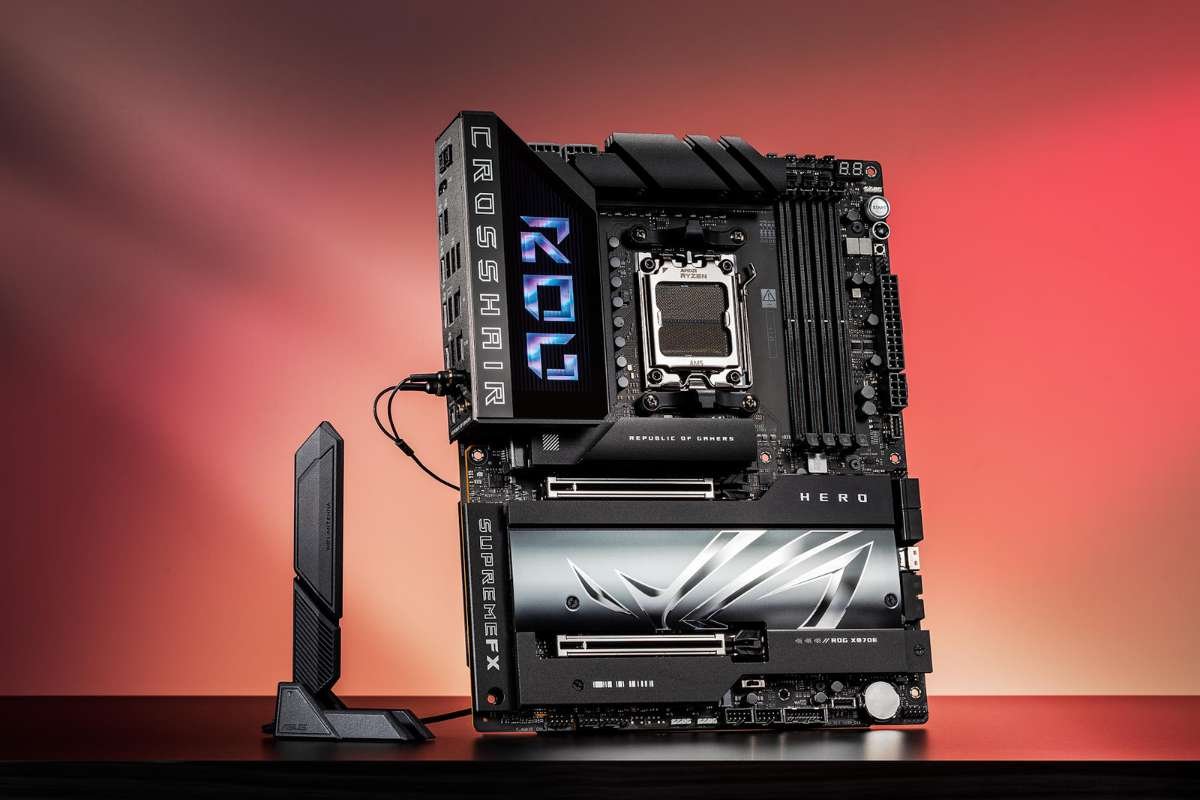
3. ASUS ROG Crosshair X870E Hero
| Specification | Details |
| Socket | AMD AM5 |
| Chipset | AMD X870E |
| Form Factor | ATX |
| Average Price | ~$900 |
The ASUS ROG Crosshair X870E Hero features the AMD AM5 socket and the X870E chipset. It uses a standard ATX form factor that fits most gaming cases. This board supports high-end Ryzen processors and fast memory. It aims at gamers who want strong performance and premium build quality. It competes closely in the race for the best motherboard for gaming for AMD users who demand top-tier performance.
- Pros: This board works well with the latest Ryzen CPUs, which helps deliver smooth gameplay. It supports high memory speeds that improve system response and load times. The ATX layout offers good room for GPUs, storage, and cooling. It also provides solid connectivity for gaming gear and networking.
- Cons: The price is high, which may not suit mid-range builders. Some premium features may not matter to casual gamers. If you do not plan to overclock or expand much, a cheaper board may offer better value.
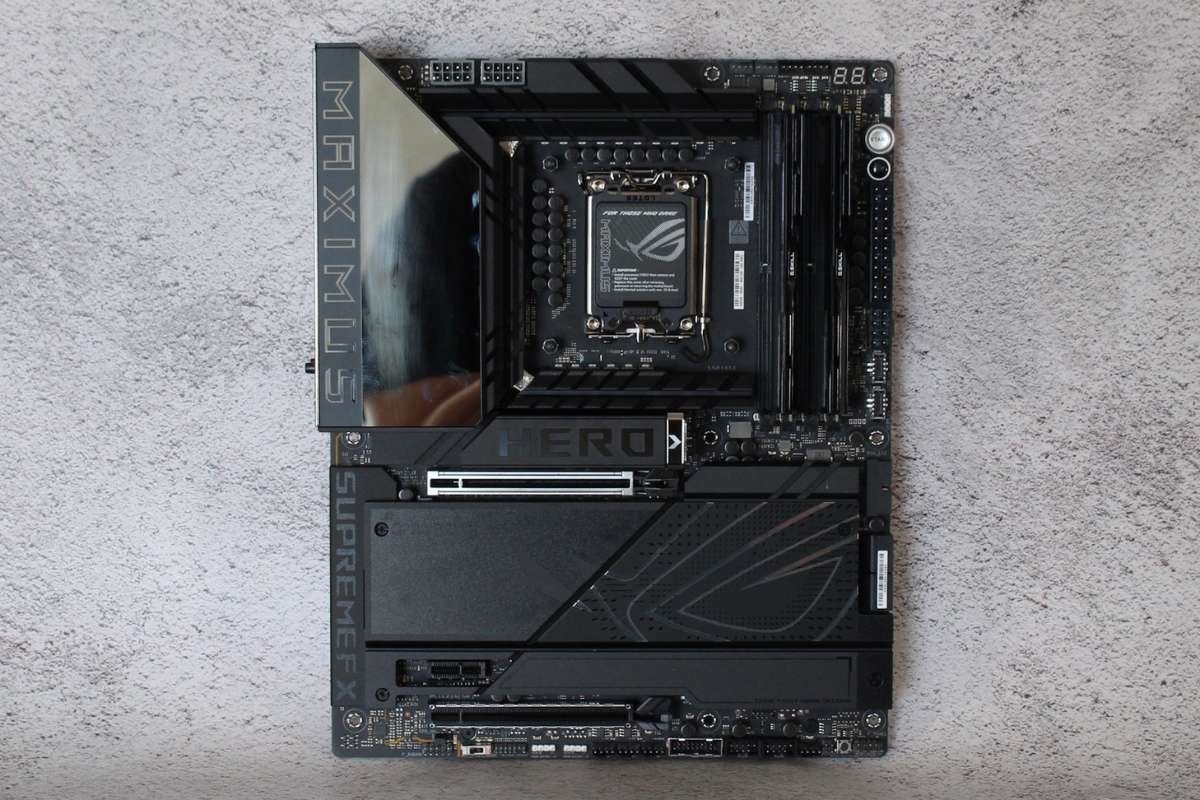
4. ASUS ROG Maximus Z890 Hero
| Specification | Details |
| Socket | Intel LGA 1851 |
| Chipset | Intel Z890 |
| Form Factor | ATX |
| Average Price | ~$650 |
The ASUS ROG Maximus Z890 Hero uses the Intel LGA 1851 socket and the Z890 chipset. It comes in a standard ATX form factor that fits most mid and full tower cases. It offers a balance of features and pricing that many consider ideal when choosing the best motherboard for gaming without going fully flagship.
- Pros: This board supports powerful Intel CPUs, so you can enjoy smooth performance in modern titles. It offers balanced connectivity and solid memory support for fast response. The ATX size gives good room for GPUs, storage, and cooling setups. It also delivers reliable power and stability under load.
- Cons: The price is still high for some budget-focused builders. It may not include every premium feature found on top-tier boards. Some gamers who want cutting-edge performance may look to higher-end models. Entry-level gamers may find simpler boards more cost-effective.
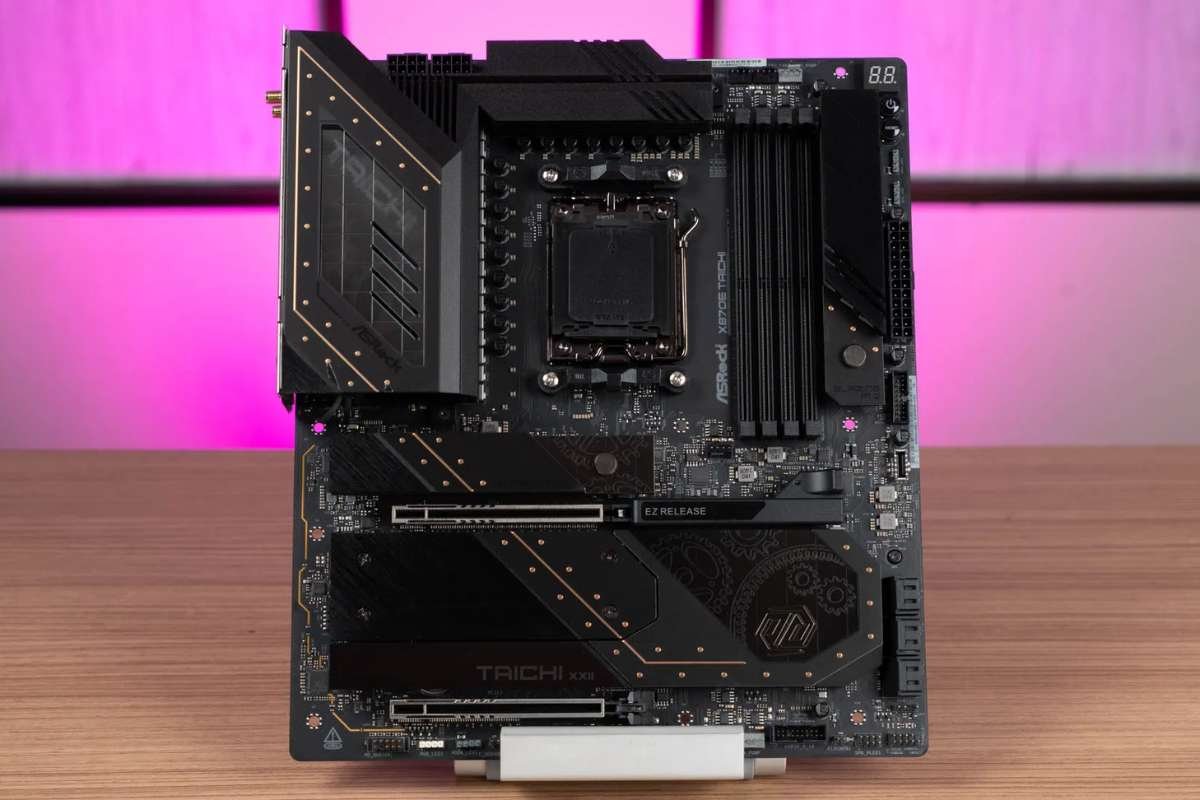
5. ASRock X870E Taichi
| Specification | Details |
| Socket | AMD AM5 |
| Chipset | AMD X870E |
| Form Factor | E-ATX |
| Average Price | ~$430 |
The ASRock X870E Taichi uses the AMD AM5 socket and the X870E chipset. It comes in a large E-ATX form factor, so you need a roomy case to fit it. This board targets gamers who want strong performance without spending a fortune on premium models. It supports fast memory, plenty of storage options, and multiple PCIe slots.
- Pros: This board works well with the latest AMD Ryzen CPUs, which helps deliver smooth gameplay and strong multitasking. The E-ATX layout gives extra space for expansion and advanced cooling solutions. You also get good connectivity for gaming peripherals and fast storage. For AMD enthusiasts, it presents excellent value in the search for the best motherboard for gaming at a slightly lower premium tier.r
- Cons: The larger E-ATX size may not fit in smaller cases, limiting build options. At its price point, you still pay more than many mid-range boards. Some gamers may not need all of the advanced features it offers. For budget-focused builders, simpler boards may give better value.
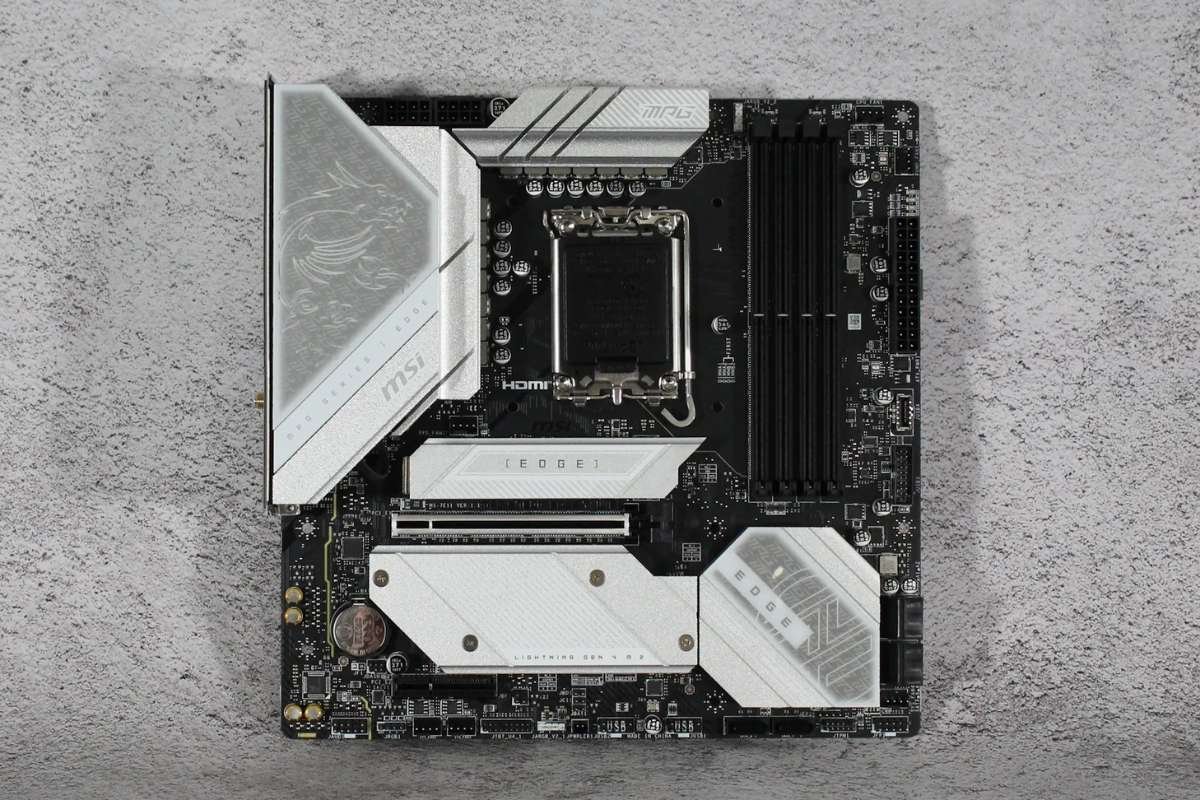
6. MSI MPG X870E Edge Ti WiFi
| Specification | Details |
| Socket | AMD AM5 |
| Chipset | AMD X870E |
| Form Factor | ATX |
| Average Price | ~$300 |
The MSI MPG X870E Edge Ti WiFi uses the AMD AM5 socket and the X870E chipset. It comes in a standard ATX size that fits most gaming cases. This board aims at gamers who want good performance and strong connectivity at a more affordable price. It includes built-in WiFi and solid support for modern AMD CPUs.
- Pros: This board supports the latest Ryzen processors, so it handles demanding games well. It offers solid memory support for faster system response and load times. The ATX form factor gives room for GPUs, storage, and cooling setups. Built-in WiFi adds convenience for wireless networking.
- Cons: At its price, it may still be above many entry-level boards. Some premium features may be missing compared with high-end models. If you do not need wireless connectivity, you may not use all of its extras. Budget builders may find simpler boards that suit their needs at a lower cost.
7. Gigabyte X870 Aorus Elite WiFi7 Ice
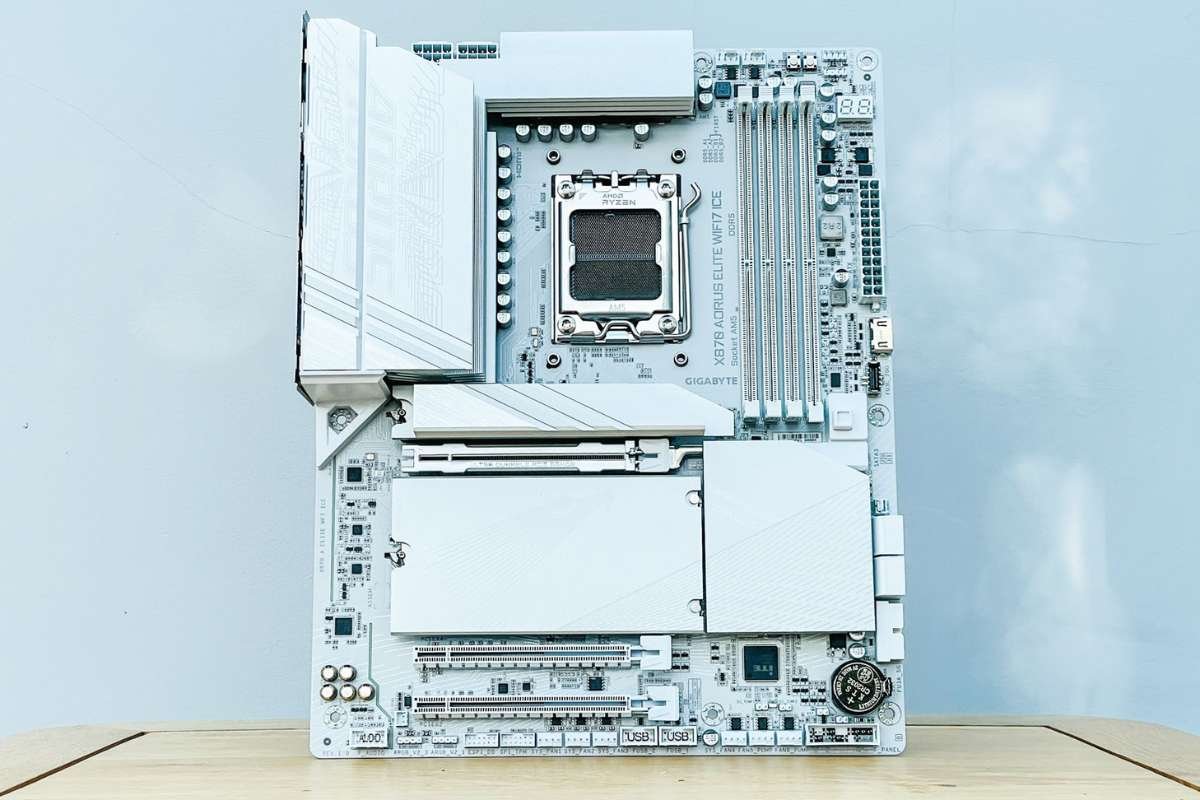
The Gigabyte X870 Aorus Elite WiFi7 Ice features the AMD AM5 socket and the X870E chipset. It comes in an ATX form factor that fits most standard gaming cases. It is a smart pick for builders who want the best motherboard for gaming without stretching into ultra-high budgets. It also includes Wi-Fi 7 support for fast wireless networking and solid connectivity.
- Pros: This board works well with current AMD Ryzen processors, giving smooth gameplay in most titles. It supports fast memory speeds that help with loading times and system responsiveness. The ATX size offers ample room for high-speed storage, GPUs, and cooling systems. Built-in Wi-Fi 7 helps reduce cable clutter and offers fast wireless performance.
- Cons: At its price, it may still sit above basic entry-level boards, which can put off budget builders. Some high-end features found on premium boards are missing, which may matter to enthusiasts. If you already have a strong wireless setup, the Wi-Fi 7 feature may not add much value. Casual gamers on a strict budget may find simpler boards more cost-effective.
| Specification | Details |
| Socket | AMD AM5 |
| Chipset | AMD X870E |
| Form Factor | ATX |
| Average Price | ~$290 |
8. MSI MAG Z890 Tomahawk WiFi
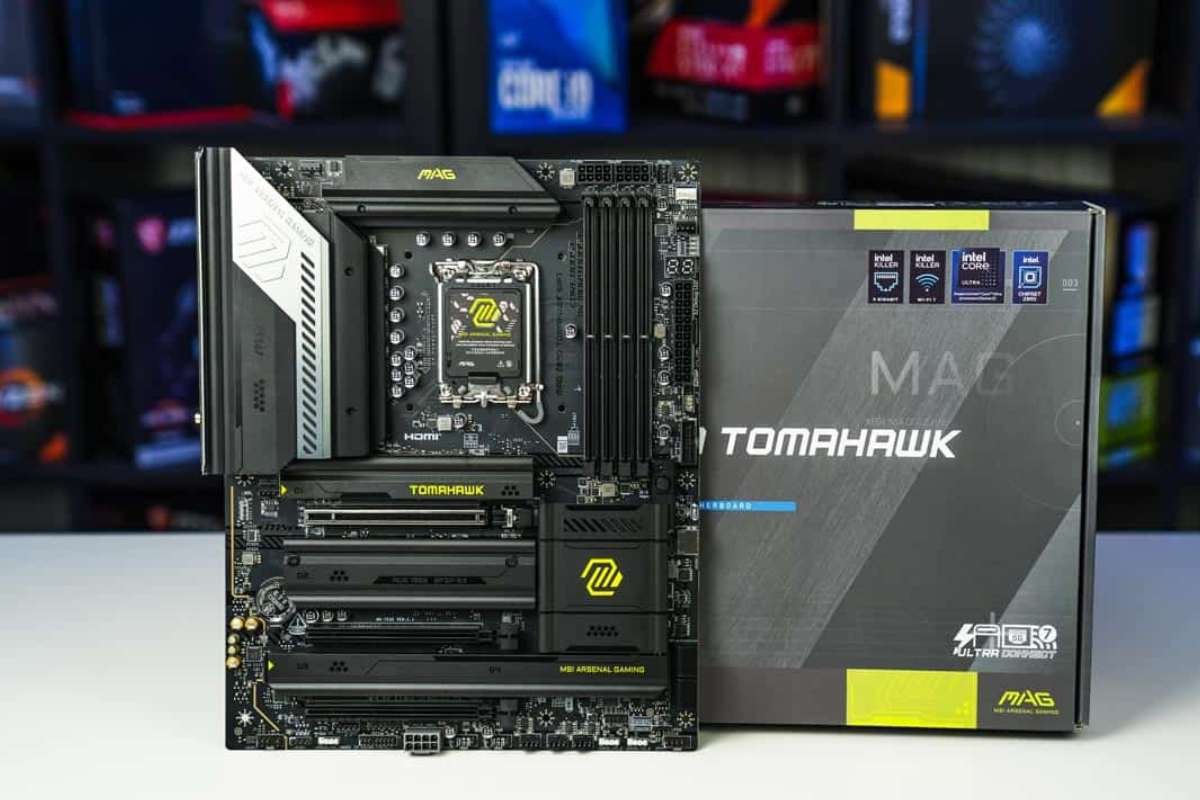
The MSI MAG Z890 Tomahawk WiFi uses the Intel LGA 1851 socket and the Z890 chipset. It comes in a standard ATX form factor that fits most mid and full tower cases. This board targets gamers who want solid performance and features without spending too much. It balances power delivery, connectivity, and support for modern Intel CPUs.
| Specification | Details |
| Socket | Intel LGA 1851 |
| Chipset | Intel Z890 |
| Form Factor | ATX |
| Average Price | ~$260 |
- Pros: This board supports powerful Intel processors, which helps with smooth gameplay and fast load times. It offers good memory support that can improve overall system responsiveness. The ATX layout allows room for GPUs, storage drives, and cooling upgrades. Built-in Wi-Fi adds wireless networking without extra hardware.
- Cons: At this price point, some premium features may be missing compared with more expensive boards. Budget-focused builders may find boards with fewer extras at a lower cost. It may not have enough high-end expansion options for extreme builds. Casual gamers who do not need Wi-Fi or advanced slots may not use all of its capabilities.
Know More:
How to Choose the Right Motherboard for Your Gaming Build?
To find the best motherboard for gaming, you need to evaluate compatibility, performance features, and long-term upgrade potential. Many models look similar but offer different features. You need to match it with your processor, case, and budget. Follow these steps to make a smart choice.
- Step 1: Start by choosing your processor. The CPU decides which socket you need, and Intel and AMD use different ones. If the socket does not match, the system will not work. Picking the CPU first helps you narrow down your options quickly.
- Step 2: Check the socket compatibility. Make sure the board supports the exact socket your CPU uses. Even small differences can prevent the system from working. Always confirm this detail before buying.
- Step 3: Look at the chipset. The chipset controls RAM speed, PCIe lanes, storage support, and extra features. Higher-end chipsets allow more upgrades and may support overclocking. Choose one that fits your performance goals.
- Step 4: Confirm the form factor. Your case must support the board size. ATX fits most builds, while Micro-ATX and Mini-ITX work for compact setups. Larger boards usually offer more expansion and better airflow.
- Step 5: Review memory support. Check the maximum RAM capacity and supported speeds. Faster RAM can improve load times and system response. Make sure there are enough slots for future upgrades.
- Step 6: Examine storage options. Modern games take up large space. Choose a board with multiple M.2 slots and support for high-speed SSDs. Fast storage helps reduce loading screens and improves system flow.
- Step 7: Evaluate connectivity. Look at USB ports, networking options, and built-in WiFi if needed. Strong networking helps with online gaming and downloads. Ensure the board supports all your peripherals.
- Step 8: Set a clear budget. High-end boards offer more features, but not all gamers need them. Focus on stability, performance, and upgrade support. Spend based on your gaming needs, not just brand value.
What Mistakes Should You Avoid While Choosing the Best Motherboard for Gaming?
Even if you aim to buy the best motherboard for gaming, small compatibility errors can reduce performance and limit future upgrades. Avoid these common errors before making your final choice.e
- Skipping socket checks can break your build. If the CPU and socket do not match, the system will not boot. Always verify compatibility first.
- Choosing the wrong chipset can limit performance. It may restrict RAM speed, storage, or overclocking. Pick one that meets your needs.
- Ignoring form factor can cause fit issues. Large boards may not fit your case. Smaller boards may limit upgrades. Match the board to your case size.
- Paying for unused features wastes money. Extra tools and slots do not always improve gaming. Buy what you will actually use.
- Limited upgrade support can hurt later. Fewer RAM or storage slots reduce flexibility. Choose a board that allows future growth.
- Forgetting to check ports creates daily hassle. Too few USB or network options can frustrate you. Always review connectivity before buying.
Conclusion:
Choosing the best motherboard for gaming is about building a system that performs reliably today and stays flexible for tomorrow. A strong motherboard ensures stable performance, smooth connectivity, and compatibility with your chosen components. It also gives you room to upgrade without rebuilding your entire setup.
When you match the motherboard to your processor, gaming needs, and budget, your entire PC works more efficiently. Take time to review chipset support, expansion slots, RAM capacity, and cooling features. The right decision now will save you trouble later and help you get the most out of your gaming experience.
FAQ
1. What factors make up the best motherboard for gaming?
A good gaming motherboard offers strong power delivery, fast RAM support, PCIe compatibility for modern GPUs, and reliable cooling features.
2. Which chipset is best for gaming?
It depends on your CPU. For example, high-end Intel and AMD chipsets offer better overclocking and expansion support, while mid-range chipsets work well for most gamers.
3. How much should I spend on a gaming motherboard?
It depends on your build. Budget gamers can choose mid-range boards, while high-performance builds may require premium options with advanced features.